
Recruiting workflows
Export WhatsApp recruiting group contacts into Excel.
Recruiters often use WhatsApp groups for candidate pools, referrals, walk-in drives, campus hiring, staffing requirements, and job communities. Export visible group contacts into Excel for review and team handoff.
Where recruiters use WhatsApp contact export
Recruiting teams may collect candidate interest from WhatsApp job groups, referral communities, campus batches, training cohorts, walk-in drive groups, or role-specific sourcing groups. Once those groups become working lists, a spreadsheet gives the team a cleaner place to dedupe, tag, assign, and review candidates before follow-up.
Common recruiting lists
- Candidate groups for a role, location, skill, batch, or drive.
- Referral and alumni groups used for sourcing.
- Campus placement, training, internship, and fresher groups.
- Staffing vendor, recruiter, and hiring partner groups.
- Interview, walk-in, event, or webinar follow-up groups.
Recruiter spreadsheet workflow
- Open the WhatsApp Web group tied to the authorized recruiting workflow.
- Export visible contact fields such as phone number, name, source group, country-code context, and label context where useful.
- Deduplicate candidates who appear across multiple groups or drives.
- Add internal columns such as role, skill, city, experience, source, owner, stage, or next action.
- Import or share only the reviewed list with the recruiter, hiring manager, ATS, or CRM workflow that needs it.
Keep recruiting follow-up relevant
A WhatsApp group export should support candidate review and workflow cleanup, not unrelated outreach. Remove contacts outside the hiring context, respect candidate preferences, and follow the recruiting, consent, and data-handling rules that apply to your team or region.
Validate candidate details separately
A group member is not automatically an applicant or a qualified candidate. Verify role, experience, location and communication preferences against candidate-provided records before assigning follow-up. The extension does not export resumes, rank candidates or sync an ATS.
Download the workbook; prepare CSV only if needed
In desktop WhatsApp Web, launch WA - Download Group Phone Numbers from the Chrome toolbar. Choose From groups, select an authorized group and the available fields, then download an Excel (.xlsx) workbook. Check a small sample against the group and keep the original file.
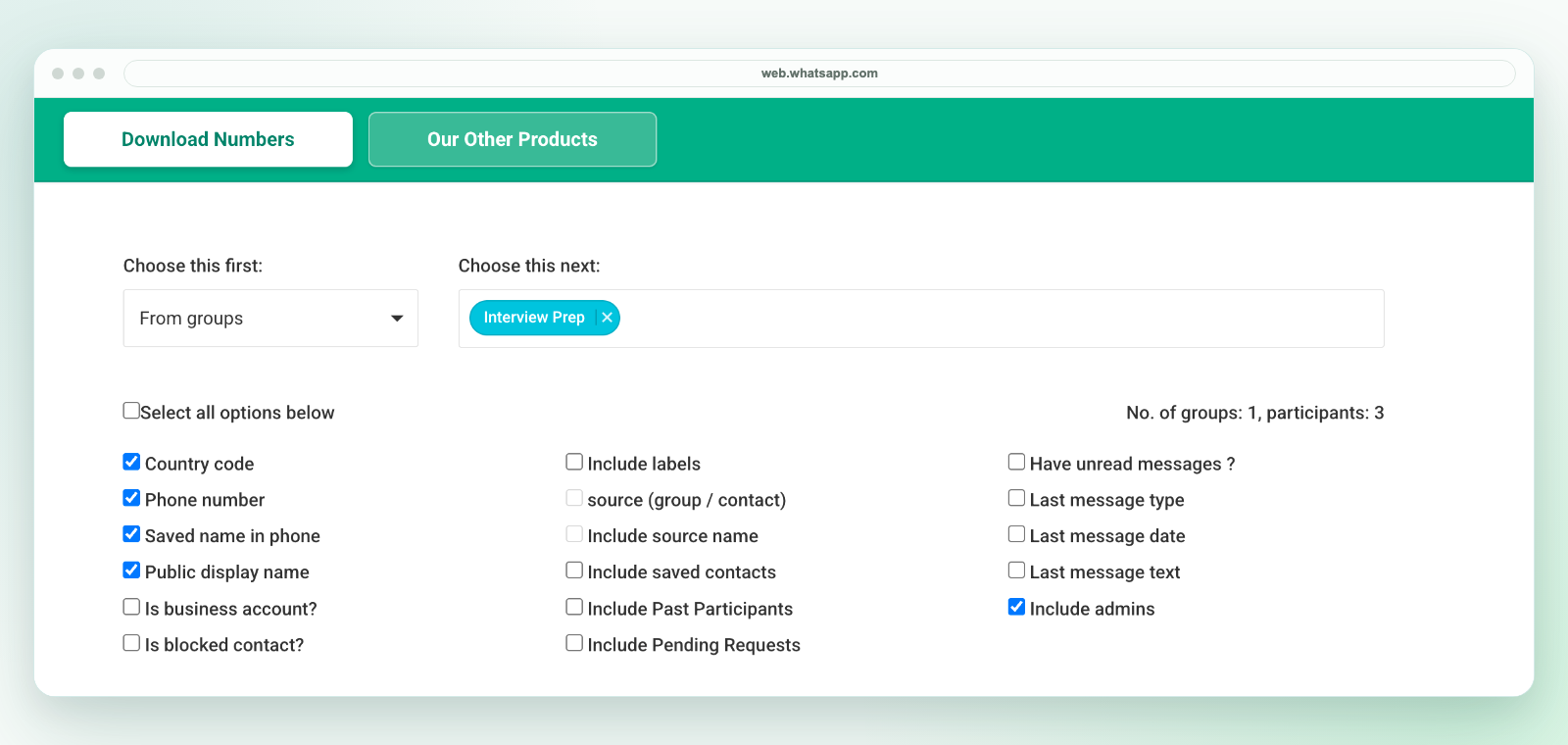
The extension saves an Excel workbook, not a direct CSV file. If another system requires CSV, review the selected worksheet in Excel and use Save As to create a CSV UTF-8 copy. Preserve phone numbers as text, map destination fields and test a small batch before import. Follow the CSV conversion workflow.
Export only details available to your session and authorized for your purpose. A visible number is not consent to marketing. See current plans and activation instructions or contact support before purchasing for a specific workflow.
Related workflows
For general lead-list cleanup, see WhatsApp group lead lists. For CRM preparation, see WhatsApp leads to CRM. For field selection, see WhatsApp contact export fields.