
Open the group
Use WhatsApp Web and choose the group you need.
Desktop Chrome extension for WhatsApp Web
Export visible phone numbers, names and group details from WhatsApp Web into a workbook your team can review and use.
Desktop Chrome extension for WhatsApp Web. Full export from $7.99/month after the 10-number sample.
Built for teams that already work from WhatsApp groups
Product preview
Open WhatsApp Web, choose a group or contacts source, select the fields you need, and download an Excel workbook for cleanup, follow-up or CRM preparation.
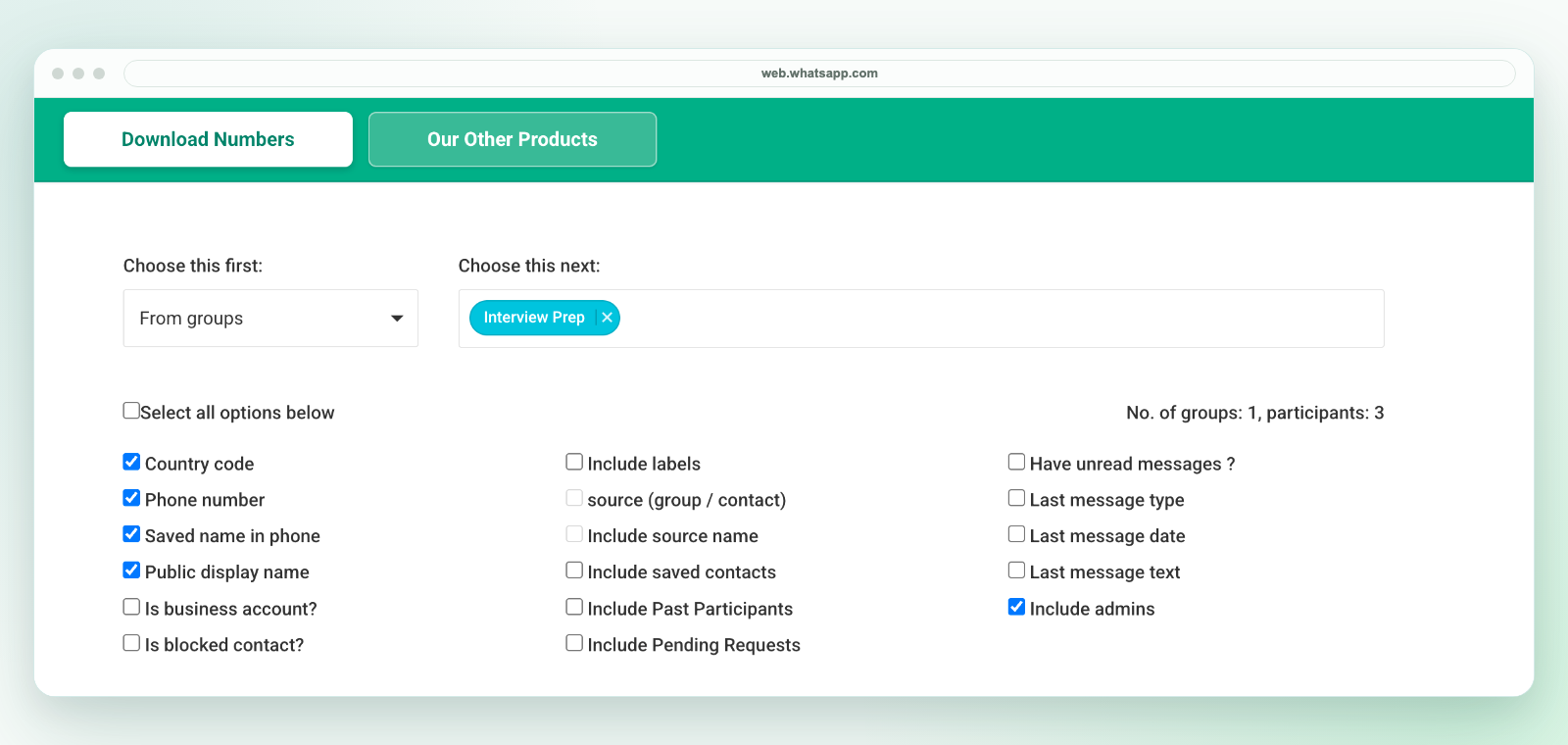
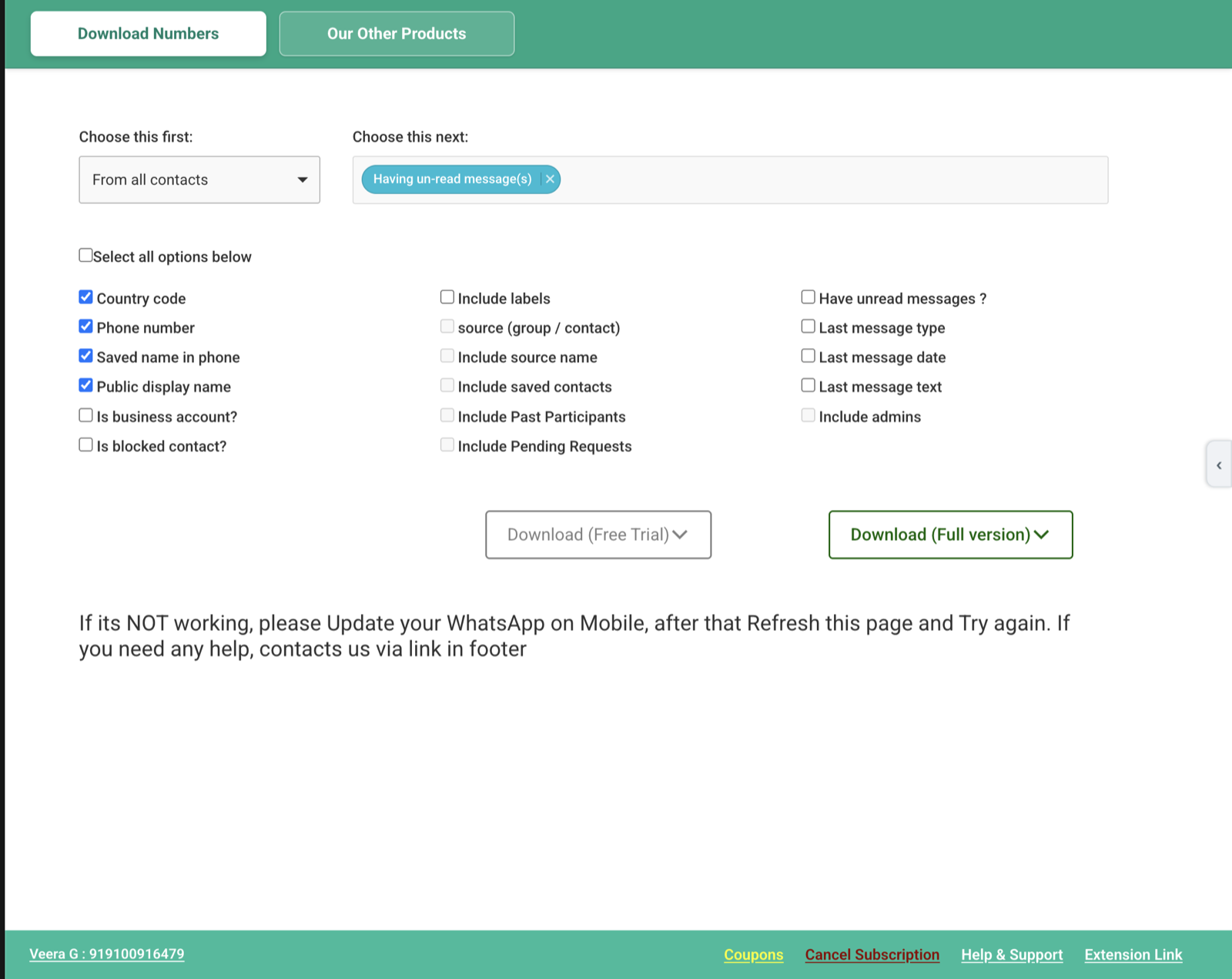
Inside the extension
When WhatsApp groups, labels, broadcasts, contacts, or open chats become working lists, the next step is usually cleanup, follow-up, assignment, or CRM import. This Chrome extension bridges that gap.
Workflow
Use WhatsApp Web and choose the group you need.
Capture the visible names and phone-number fields.
Review the downloaded workbook. Save a CSV copy in Excel if your CRM needs one.
Export coverage
The extension works with data exposed in your signed-in WhatsApp Web session. Choose a source, select the available fields, and download a workbook for review before saving a CSV copy for your next system.
| WhatsApp source | Useful export fields | Output |
|---|---|---|
| Groups and group members | Phone number, country code, saved name, public display name, source group, and admin status. | Excel workbook, then CSV UTF-8 from Excel when required. |
| Labels, contacts, and country filters | Visible contacts matching the selected label, contact list, or country-code context. | Reviewable rows for cleanup, segmentation, and CRM preparation. |
| Open chats and broadcast lists | Available name, phone, source, label, saved-contact, unread, and message-context fields. | Structured spreadsheet data for handoff and follow-up planning. |
See the detailed export fields, group workflow, and Excel workflow before installing.
Why teams install it
Move visible WhatsApp Web contacts into an Excel workbook, review the rows, remove duplicates and assign owners. When your CRM requires CSV, save a CSV copy of the reviewed worksheet before importing.
| Workflow | What happens | Best next step |
|---|---|---|
| Manual copy-paste | Numbers and names are copied one by one from WhatsApp Web. | Use only for very small groups. |
| Screenshot or chat text | The team keeps a visual record but not a clean spreadsheet. | Use as context, not as an import file. |
| WA - Download Group Phone Numbers | Visible contacts become rows in a downloaded Excel workbook. | Review, dedupe, assign owners, or save a CSV copy for CRM import. |
Choose a workflow
Start with the output your team needs, then use the focused workflow for groups, phone numbers, Excel, or a guided export.
Use cases
Browse all use cases · Read export guides · Download resources
Guide
Follow the desktop group-to-Excel workflow, including field selection, contact review and saving a CSV copy when needed for import.
Read the export guidePricing
Install the Chrome extension and test up to 10 numbers free. When it fits your workflow, choose a plan inside the extension to unlock full export.
$0
First 10 numbers
Test the export workflow before choosing a paid option.
Try free in Chrome$7.99 / month
Full exports
Renews monthly until canceled. Access is linked to your email.
Choose in extension$25.99 / 6 months
One payment, no renewal
Also INR 2,500 by UPI. Manual activation after verification.
Choose in extension$9.99 / 30 days
One payment, no renewal
Also INR 649 by UPI. Manual activation after verification.
Choose in extensionInstall

Questions
Short answers for the common questions before installing the Chrome extension.
Yes. WA - Download Group Phone Numbers downloads visible WhatsApp Web group contacts as an Excel (.xlsx) workbook. If you need CSV, open the workbook in Excel and save a CSV UTF-8 copy. See the Excel-to-CSV workflow.
It focuses on visible contact names, phone numbers, country-code context, source details, saved-contact status, and spreadsheet output. See the export fields page for a fuller breakdown.
Common users include sales teams, coaching centers, real estate teams, local commerce operators, events, and operations teams that already manage groups in WhatsApp.
Yes. The monthly subscription renews at $7.99 per month until canceled. The six-month and 30-day passes are one-time payments and do not renew.
After a Stripe or UPI one-time payment, send the payment confirmation and the WhatsApp number that needs access to support. We verify the payment and provide the license key for activation.
No. WA - Download Group Phone Numbers is an independent Chrome extension and is not affiliated with WhatsApp or Meta.