
WhatsApp Business export
Export WhatsApp Business contacts into Excel.
Use WA - Download Group Phone Numbers when your WhatsApp Web workflow uses groups, labels, contacts, or open chats and your team needs a clean spreadsheet for review, segmentation, CRM preparation, or handoff.
Export the labeled list you actually need
Download an existing labeled customer or inquiry list in an Excel workbook for review. The extension exports contact details available in WhatsApp Web; it does not export your complete Business account, chat history, product catalog or orders.
Why label exports matter
Many WhatsApp Business teams organize conversations with labels such as new lead, quotation sent, follow up, paid customer, event attendee, parent inquiry, buyer, vendor, or support case. The label helps inside WhatsApp, but teams often need the same contact set in a spreadsheet before assigning owners, importing into CRM, or planning follow-up.
A label-based export keeps the spreadsheet closer to how the team already works. Instead of exporting every visible contact and sorting later, the team can focus on a labeled segment, review the fields, and prepare a cleaner list for the next step.
Choose labeled chats or labeled groups
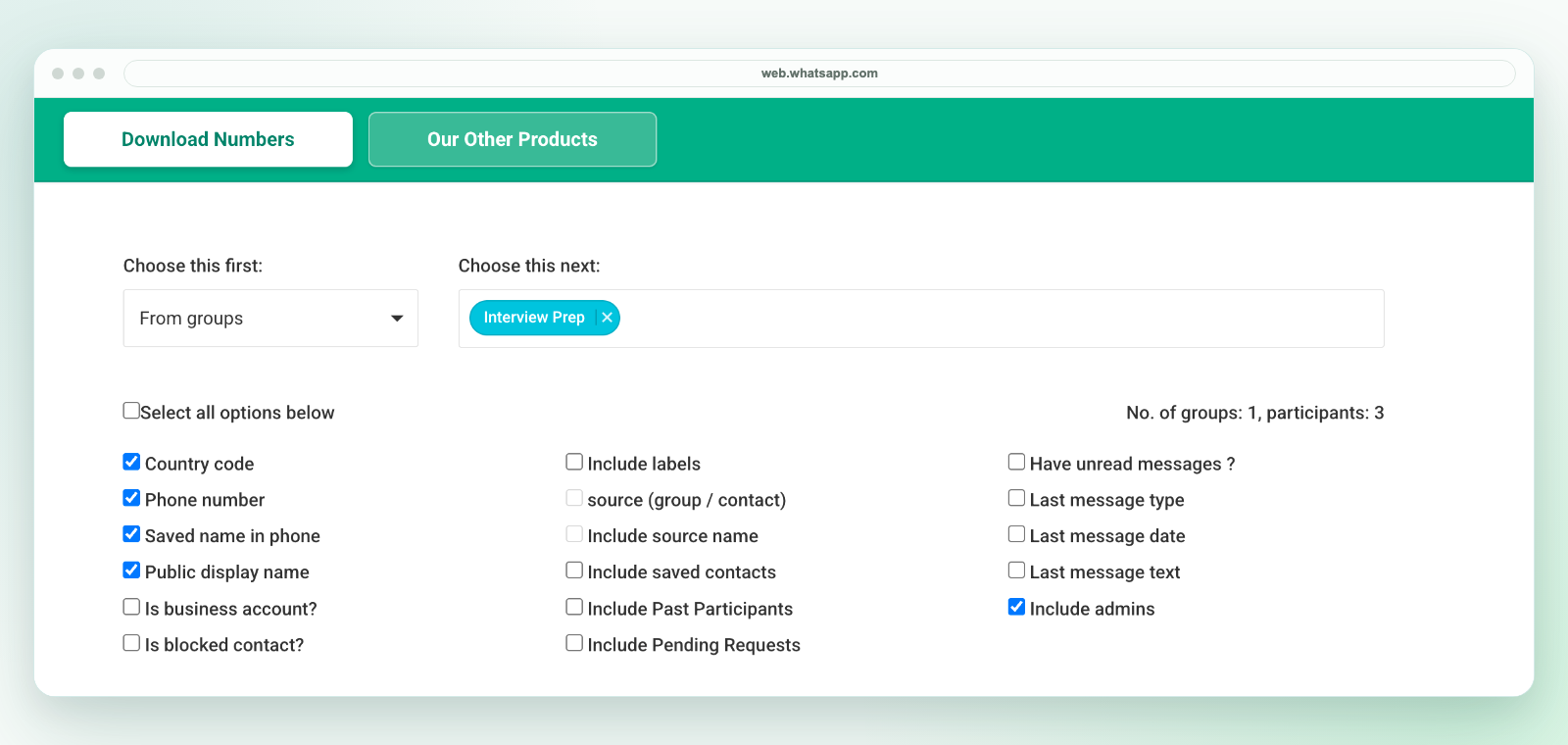
Select From chats using labels for available contact details from labeled conversations. Select From groups using labels when you need available member details from groups carrying the selected labels. A labeled group is not the same as a label applied to each individual member.
Export and review your selection
- Open WhatsApp Web in desktop Chrome, launch the extension from the Chrome toolbar and choose the appropriate label source.
- Select the labels you need from the next selector. Start with one label so you can check the result against the intended conversations or groups.
- Keep phone number and country code; select available name fields and Include labels if contact-label context is needed.
- Download an Excel (.xlsx) workbook. Review the rows and label values; missing contact-label data should not be inferred from a group's label.
- Preserve full phone numbers as text, review duplicates across overlapping selections and add owner or stage columns in your spreadsheet.
Need a CSV handoff?
The extension downloads an Excel workbook, not a direct CSV file. Review the selected worksheet in Excel and use Save As to create a CSV UTF-8 copy if your next system needs CSV. Keep the original workbook, preserve phone numbers as text and test a small batch before import. See the CSV conversion guide.
If a label or contact is missing
The selector depends on label data available in your current WhatsApp Web session. Confirm the correct account and source before retrying. Empty or unavailable phone and name data is not recovered by choosing a label. See the export troubleshooting checklist or contact support if the expected selection is still absent.
What to check before CRM import
A label such as quotation sent can help reconcile inquiries with your CRM, but it is not proof of consent, a purchase or a verified sales stage. Compare the customer record, remove unrelated rows and confirm whether follow-up is authorized. Use the CRM import template to prepare your file; importing and assigning records remain separate steps.
Related workflows
For broader spreadsheet export, see WhatsApp contacts to Excel. For field selection, see WhatsApp contact export fields. For CRM handoff, see WhatsApp leads to CRM. For all-chat source exports, see export WhatsApp contacts from chats.