
All contacts
Export visible contact rows from the WhatsApp Web contact context your browser session can access, then review the list in a spreadsheet.
Chats and contacts
Use WA - Download Group Phone Numbers to prepare visible WhatsApp Web contacts from all contacts or open chats for spreadsheet cleanup, unread follow-up review, and team handoff.
Export visible contact rows from the WhatsApp Web contact context your browser session can access, then review the list in a spreadsheet.
Prepare contact exports from current chats, including workflows where unread or no-unread chat state helps the team decide what to review next.
Not every workflow starts from a group. Sales, support, real estate, education, local commerce, and operations teams may need a reviewed spreadsheet of visible WhatsApp Web contacts from existing chats or saved contacts before they assign owners, clean duplicates, or prepare follow-up.
The extension includes paths for all contacts and all open chats. Where available in WhatsApp Web, teams can review contacts with unread messages separately from chats without unread messages. That helps support, sales, and operations teams separate urgent review from routine cleanup.
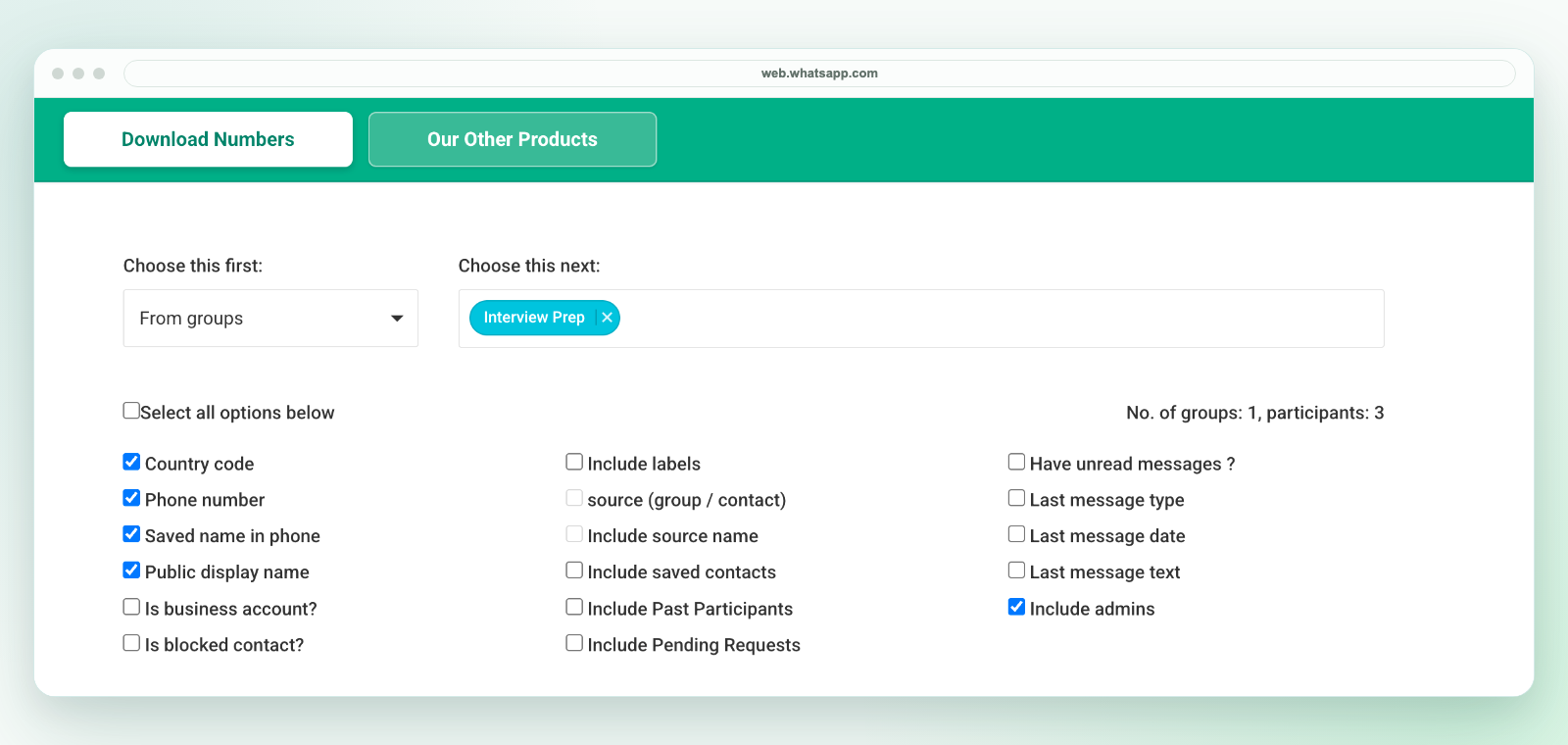
The extension downloads an Excel workbook, not a direct CSV file. Review the selected worksheet in Excel and use Save As to create a CSV UTF-8 copy if your next system needs CSV. Keep the original workbook, preserve phone numbers as text and test a small batch before import. See the CSV conversion guide.
Unread status reflects data available to the current WhatsApp Web session at export time. It does not prove whether a customer needs a response, whether a teammate has replied elsewhere or whether a sales opportunity exists. Check the conversation before assigning follow-up and use only the details needed for your review.
This workflow is for visible WhatsApp Web contact and chat context in your current session. It is not a hidden WhatsApp database export, device-address-book backup, or native WhatsApp account sync.
For group exports, see export WhatsApp group contacts. For contacts not already saved in your address book, see export unsaved WhatsApp contacts. For field selection, see WhatsApp contact export fields.