
Schools and education
Export school WhatsApp parent contacts into Excel.
Schools and training teams often manage parent, student, admissions, class, alumni, and event groups in WhatsApp. WA - Download Group Phone Numbers helps move visible school group contacts into a structured file.
School WhatsApp parent contact export workflows
School teams usually need a reviewed parent, guardian, student, admissions, class, event, or alumni list rather than a raw group member screen. Exporting the visible WhatsApp Web contacts into Excel makes that list easier to dedupe, filter, and hand to the right school team.
Where schools use it
- Parent group cleanup before announcements or internal updates.
- Admissions inquiry lists from WhatsApp groups.
- Batch, class, event, transport, or alumni contact review.
- Excel handoff to admin, admissions, parent communication, or support teams.
- Activity, exam, event, or department coordination lists.
Practical workflow
Open the relevant WhatsApp Web group, export visible fields, dedupe the sheet, and keep only the contacts that belong in the school workflow. The exported file can then be reviewed by admissions, administration, parent communication, alumni relations, or support teams before it is used.
How to keep the school list clean
- Export only the parent, class, admissions, event, or alumni group tied to the current school workflow.
- Keep source group, phone number, name, and country-code context where useful.
- Remove duplicate parent, guardian, student, or alumni contacts.
- Add internal columns such as class, batch, section, inquiry stage, event, or owner.
- Use the final list only for expected school communication.
Why schools should review before use
School WhatsApp groups can include parents, guardians, students, teachers, vendors, alumni, and temporary event contacts. A spreadsheet review helps the team remove irrelevant rows and avoid mixing different audiences before announcements, admissions follow-up, or administrative work.
Check parent and class records before sharing
A shared number may belong to a guardian, student or another household member. Do not merge records from display names alone or infer a child's class from group membership. Reconcile the list with school records, minimize student details and restrict access to the responsible staff.
Download the workbook; prepare CSV only if needed
In desktop WhatsApp Web, launch WA - Download Group Phone Numbers from the Chrome toolbar. Choose From groups, select an authorized group and the available fields, then download an Excel (.xlsx) workbook. Check a small sample against the group and keep the original file.
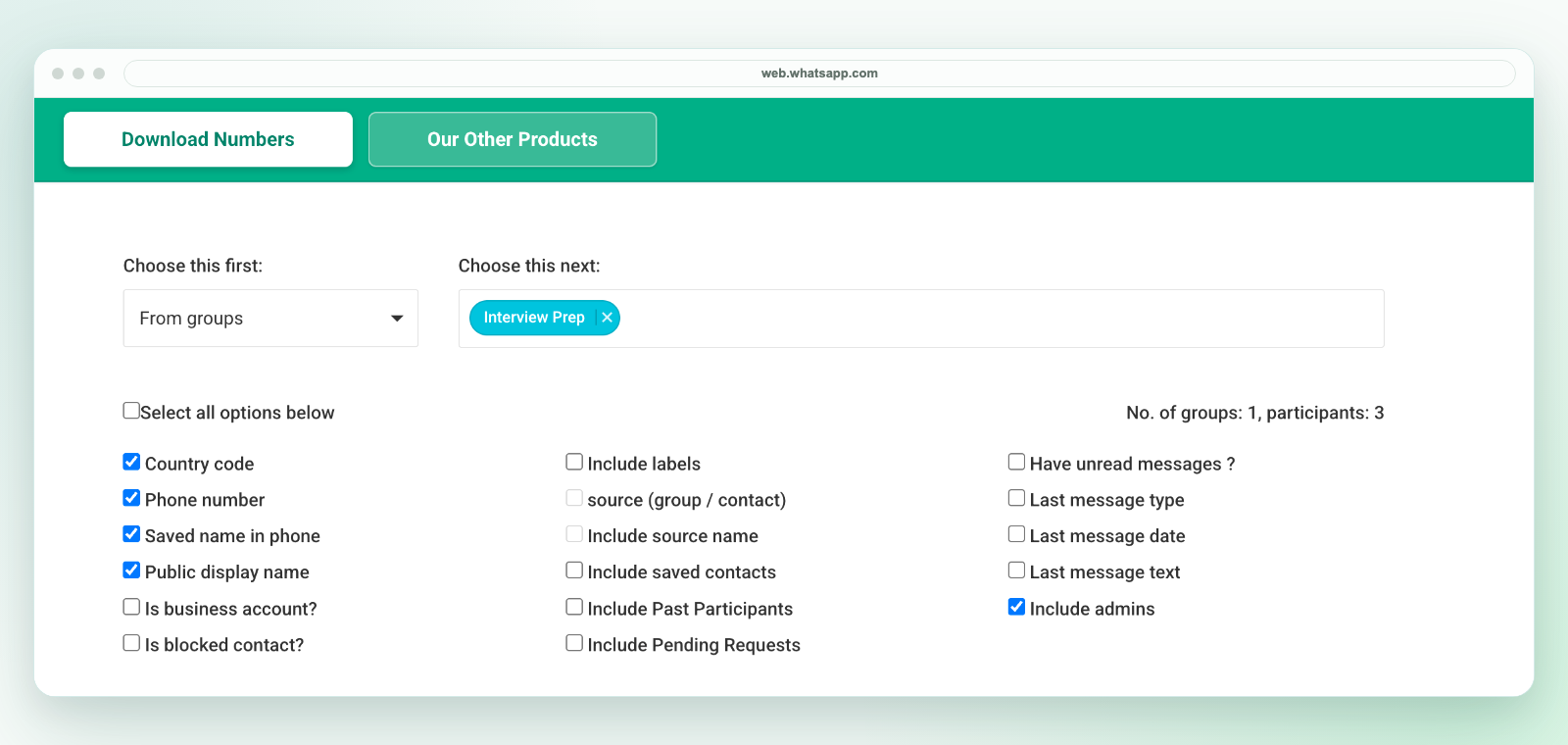
The extension saves an Excel workbook, not a direct CSV file. If another system requires CSV, review the selected worksheet in Excel and use Save As to create a CSV UTF-8 copy. Preserve phone numbers as text, map destination fields and test a small batch before import. Follow the CSV conversion workflow.
Export only details available to your session and authorized for your purpose. A visible number is not consent to marketing. See current plans and activation instructions or contact support before purchasing for a specific workflow.
Related workflows
For coaching centers, see coaching center WhatsApp contacts. For Excel cleanup, see WhatsApp contacts to Excel. For broader group exports, see export WhatsApp group contacts.