
Community operations
Export WhatsApp community contacts into reviewable spreadsheets.
Community managers often use WhatsApp groups for members, chapters, volunteers, cohorts, local circles, and event follow-up. Export visible contacts into Excel for cleanup, moderation, and operations handoff.
When community teams need a contact export
WhatsApp communities can become operating systems for local groups, professional circles, alumni networks, creator communities, volunteer groups, and neighborhood programs. When the member list needs review, assignment, dedupe, or follow-up, a spreadsheet is easier to manage than a scrolling WhatsApp Web screen.
Community workflows
- Member cleanup before moving a group to a CRM, sheet, or membership database.
- Volunteer, organizer, mentor, chapter, or city-level coordination lists.
- Event, webinar, meetup, and community-program follow-up.
- Moderation review when a group needs source, admin, or member context.
- Local commerce, alumni, creator, or interest-group operations handoff.
Suggested spreadsheet process
- Open an accessible group in WhatsApp Web. Community-wide access and all-member coverage are not guaranteed.
- Select useful visible fields such as phone number, saved name, public display name, source group, country-code context, label context, or admin status.
- Export to Excel and remove duplicate rows across related groups.
- Add internal columns such as chapter, city, role, member status, program, owner, or next action.
- Share only the reviewed list with the team responsible for the community workflow.
Responsible community use
A community export should support administration, review, and expected follow-up. Do not treat group membership as blanket permission for unrelated messages. Minimize exported fields, remove contacts outside the current purpose, and follow your community rules, internal policy, and applicable law.
A group list is not a community-wide membership register
Select an accessible group through From groups; there is no dedicated community-wide export option. Reconcile the rows with your membership records before changing roles, chapters or access. Group membership does not establish a member's location, consent or current status.
Download the workbook; prepare CSV only if needed
In desktop WhatsApp Web, launch WA - Download Group Phone Numbers from the Chrome toolbar. Choose From groups, select an authorized group and the available fields, then download an Excel (.xlsx) workbook. Check a small sample against the group and keep the original file.
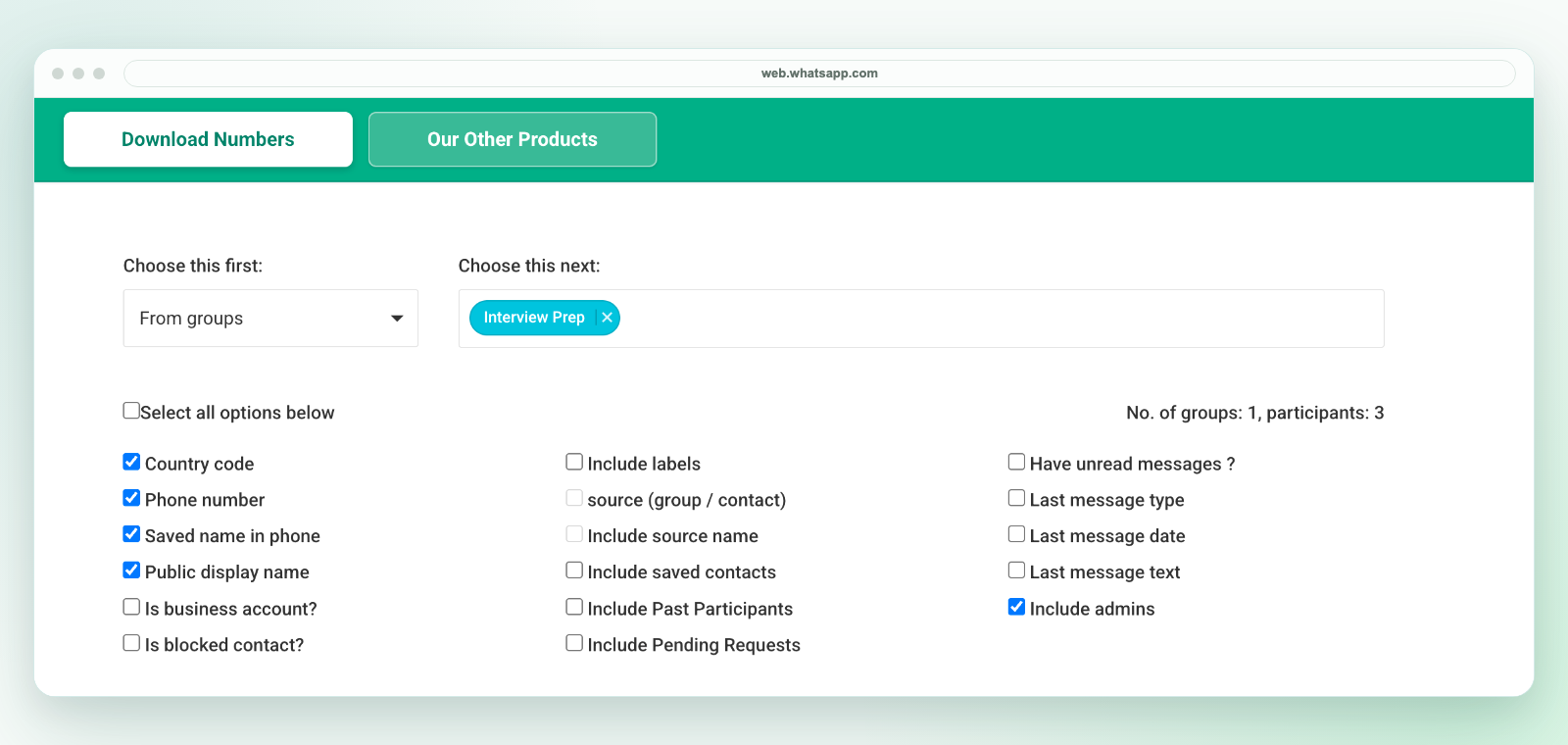
The extension saves an Excel workbook, not a direct CSV file. If another system requires CSV, review the selected worksheet in Excel and use Save As to create a CSV UTF-8 copy. Preserve phone numbers as text, map destination fields and test a small batch before import. Follow the CSV conversion workflow.
Export only details available to your session and authorized for your purpose. A visible number is not consent to marketing. See current plans and activation instructions or contact support before purchasing for a specific workflow.
Related workflows
For event follow-up, see event WhatsApp contact export. For CSV cleanup, see export WhatsApp group members to CSV. For field selection, see WhatsApp contact export fields.