
Comparison
WASheet alternative for WhatsApp Web contact export.
Decide whether you need messaging automation, an ongoing Sheets workflow or a reviewed contact workbook. These are different jobs, not interchangeable export formats.
WASheet advertises more than contact export
The WASheet Store listing, ID mlbcibpichojlpclgkepjkpenfoigmhe, presents a bulk-message and CRM tool. Checked October 15, 2026: it advertises broadcasting, automated replies, contact import/export and a Google Forms-based workflow for order or product data in Sheets. These are publisher descriptions, not an independently tested integration.
Manual handoff is different from ongoing automation
| Need | What to evaluate | Our exporter |
|---|---|---|
| Messaging or CRM automation | Check WASheet's current triggers, scope, purchase terms and required permissions directly. | Does not send campaigns, generate replies or run a CRM. |
| Ongoing Sheets workflow | Check exactly which data its Forms-based feature writes and how consent and access work. | Manual file import into Sheets, not live sync. |
| Reviewed group contacts | Check fields, source availability and the real download format. | Download a workbook, review the rows and prepare a CSV copy only if needed. |
Use our workbook directly in Sheets
- Open WhatsApp Web in desktop Chrome and launch WA - Download Group Phone Numbers from the Chrome toolbar.
- Select an authorized group and available fields, then download an Excel (.xlsx) workbook.
- Import the workbook directly into Google Sheets for shared review. You do not need to convert it to CSV first.
- Review phone numbers, duplicates and source details. Add your own owner or next-action columns; the extension does not infer or synchronize those values.
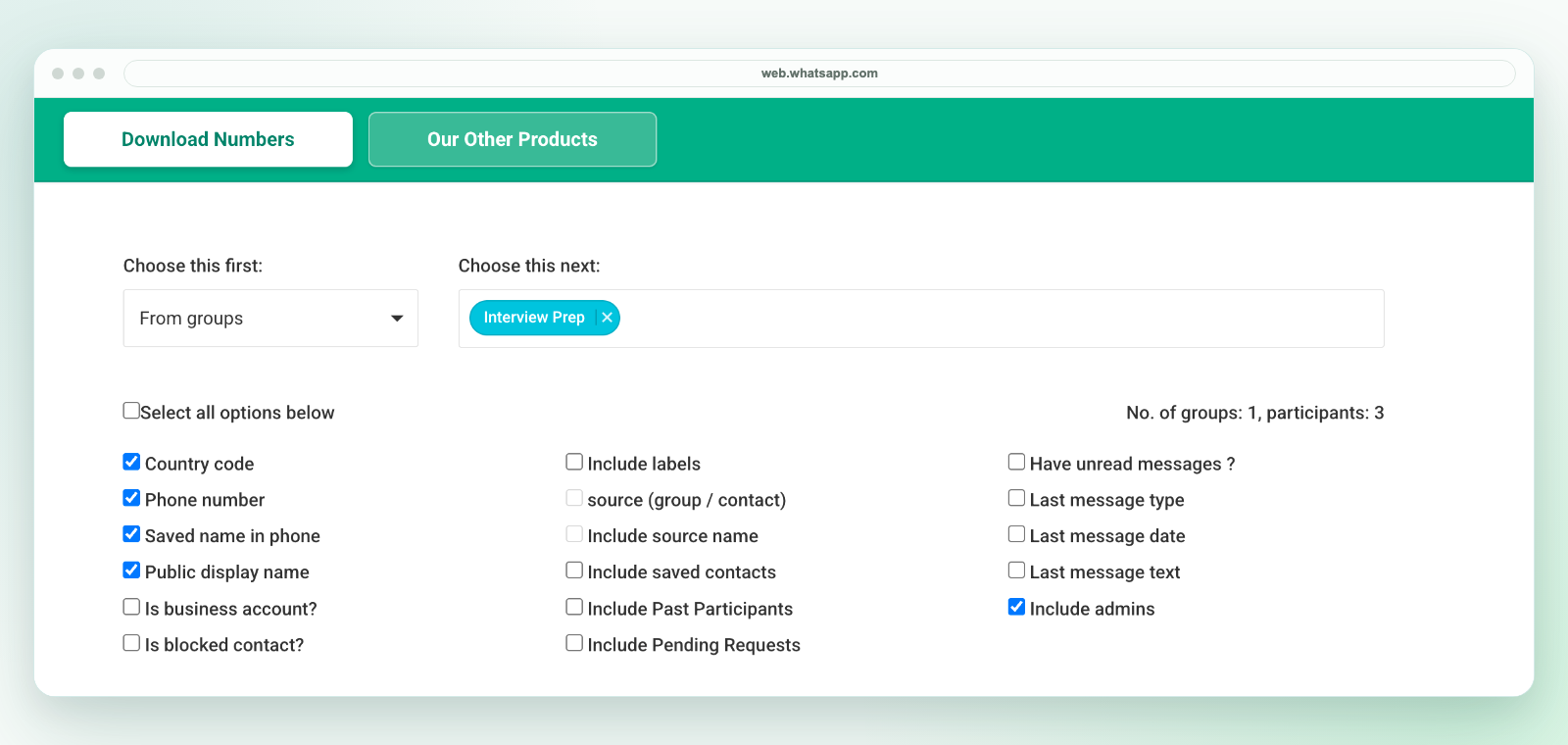
Our download is a workbook, not a direct CSV file. If your next system needs CSV, review the selected worksheet in Excel and use Save As to create a CSV UTF-8 copy, or download a reviewed CSV copy from Sheets. Preserve phone numbers as text and test a small batch before import. See the Sheets workflow and CSV conversion guide.
Check the exact workflow before buying
This comparison does not certify either product's security, reliability or pricing. Do not assume a feature mentioning Google Sheets exports every group member or provides the same data as a contact workbook. Check the actual product documentation, data access and purchase terms. Our plans and activation instructions, privacy and support are available before purchase.
Related workflows
See group export, Excel cleanup, field limits and other alternatives. Export only contacts you are authorized to handle. A group number does not establish consent to marketing. Our extension is independent and is not affiliated with WhatsApp or Meta.