
Property brokers
Export property broker and buyer WhatsApp contacts.
Real estate teams use WhatsApp groups for buyers, brokers, channel partners, project updates, and site visits. WA - Download Group Phone Numbers helps turn visible group contacts into a workable spreadsheet.
Real estate workflows
- Buyer groups for a project, location, or campaign.
- Broker and channel partner groups.
- Site-visit follow-up lists.
- Lead cleanup before CRM import or team assignment.
- Referral, investor, rental, and locality groups.
Broker contact export workflow
- Open the property, buyer, broker, or channel partner group in WhatsApp Web.
- Export visible phone numbers, names, country-code context, and source group details.
- Remove duplicate contacts across repeated broker or project groups.
- Add internal notes such as project, location, property type, budget, owner, or follow-up stage.
- Use the cleaned spreadsheet for CRM import, sales assignment, or calling queues.
Use the sheet for review first
Exporting makes the data easier to dedupe, filter, and assign. Teams should review the spreadsheet before calling, messaging, importing, or sharing contacts internally. This is especially important when the same broker, buyer, or channel partner appears across multiple project groups.
Verify buyer and broker context
A project-group name does not verify that someone is a buyer, broker or channel partner. Check that role against your existing relationship records. Project, budget, location and follow-up stage are review columns your team adds, not attributes inferred by the exporter.
Download the workbook; prepare CSV only if needed
In desktop WhatsApp Web, launch WA - Download Group Phone Numbers from the Chrome toolbar. Choose From groups, select an authorized group and the available fields, then download an Excel (.xlsx) workbook. Check a small sample against the group and keep the original file.
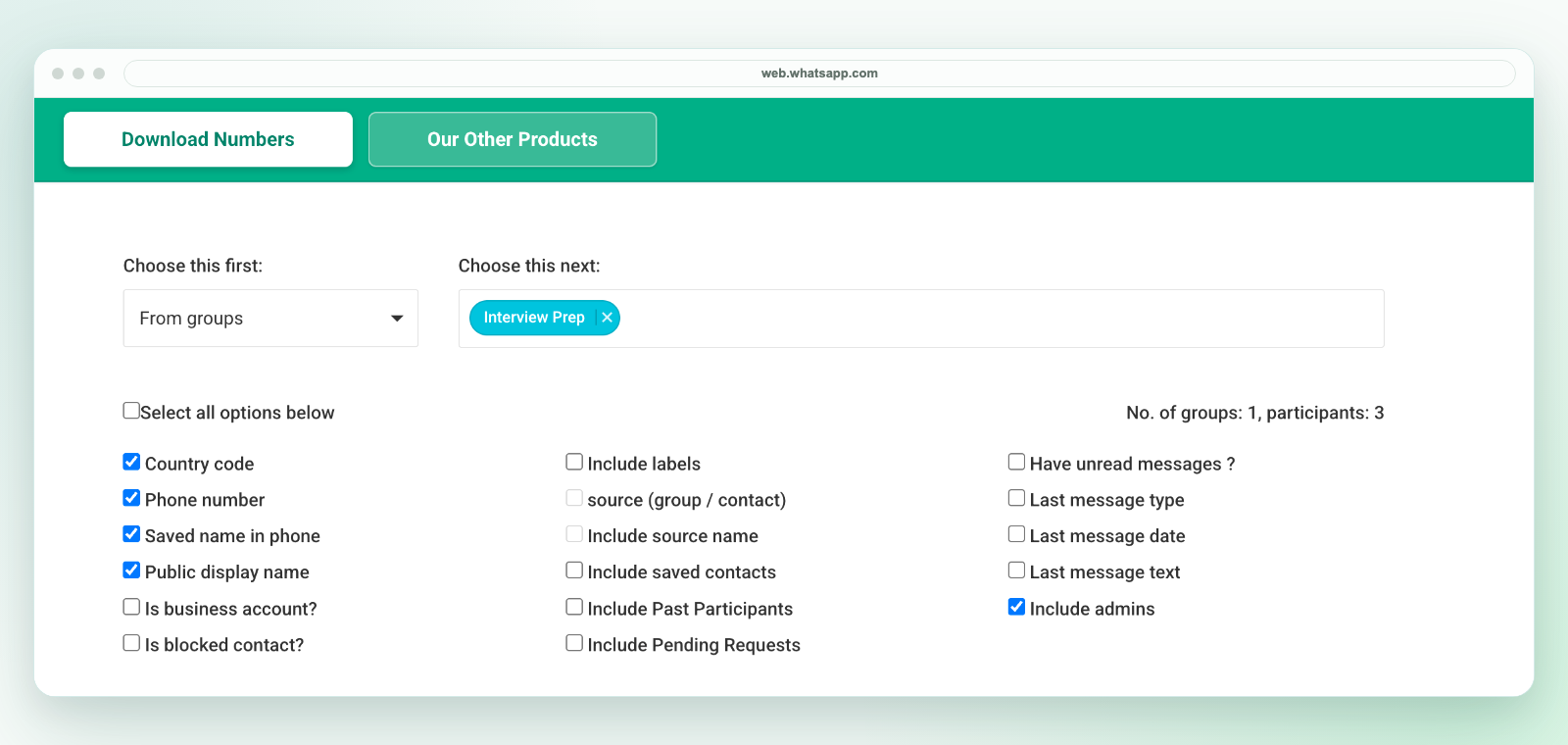
The extension saves an Excel workbook, not a direct CSV file. If another system requires CSV, review the selected worksheet in Excel and use Save As to create a CSV UTF-8 copy. Preserve phone numbers as text, map destination fields and test a small batch before import. Follow the CSV conversion workflow.
Export only details available to your session and authorized for your purpose. A visible number is not consent to marketing. See current plans and activation instructions or contact support before purchasing for a specific workflow.
Related workflows
For broader property workflows, see real estate buyer lists. For CRM preparation, see WhatsApp leads to CRM. For phone-number extraction, see WhatsApp group phone number extractor.