
Buyer groups
Export contacts from project groups, open-house groups, site-visit groups, and locality buyer communities.
Real estate
Real estate teams often coordinate buyers, brokers, investors, and site visits through WhatsApp groups. WA - Download Group Phone Numbers helps export those visible contacts into spreadsheet files.
Export contacts from project groups, open-house groups, site-visit groups, and locality buyer communities.
Organize broker or partner numbers into Excel for communication, segmentation, and handoff.
Deduplicate, tag, and sort WhatsApp group contacts before moving them into a CRM or calling process.
Give sales reps a structured file instead of asking them to inspect WhatsApp groups manually.
Real estate conversations often start in WhatsApp groups before they reach a CRM. A project launch group, site-visit group, broker network, or locality buyer group can quickly become a working contact source. Exporting visible contacts into Excel gives sales managers a cleaner way to review buyers, brokers, channel partners, and campaign sources.
Group membership does not establish budget, property ownership, purchase intent or a completed site visit. Add those details only from verified inquiry records. Compare full phone numbers across project groups and confirm permission before assigning a calling queue.
In desktop WhatsApp Web, launch WA - Download Group Phone Numbers from the Chrome toolbar. Choose From groups, select an authorized group and the available fields, then download an Excel (.xlsx) workbook. Check a small sample against the group and keep the original file.
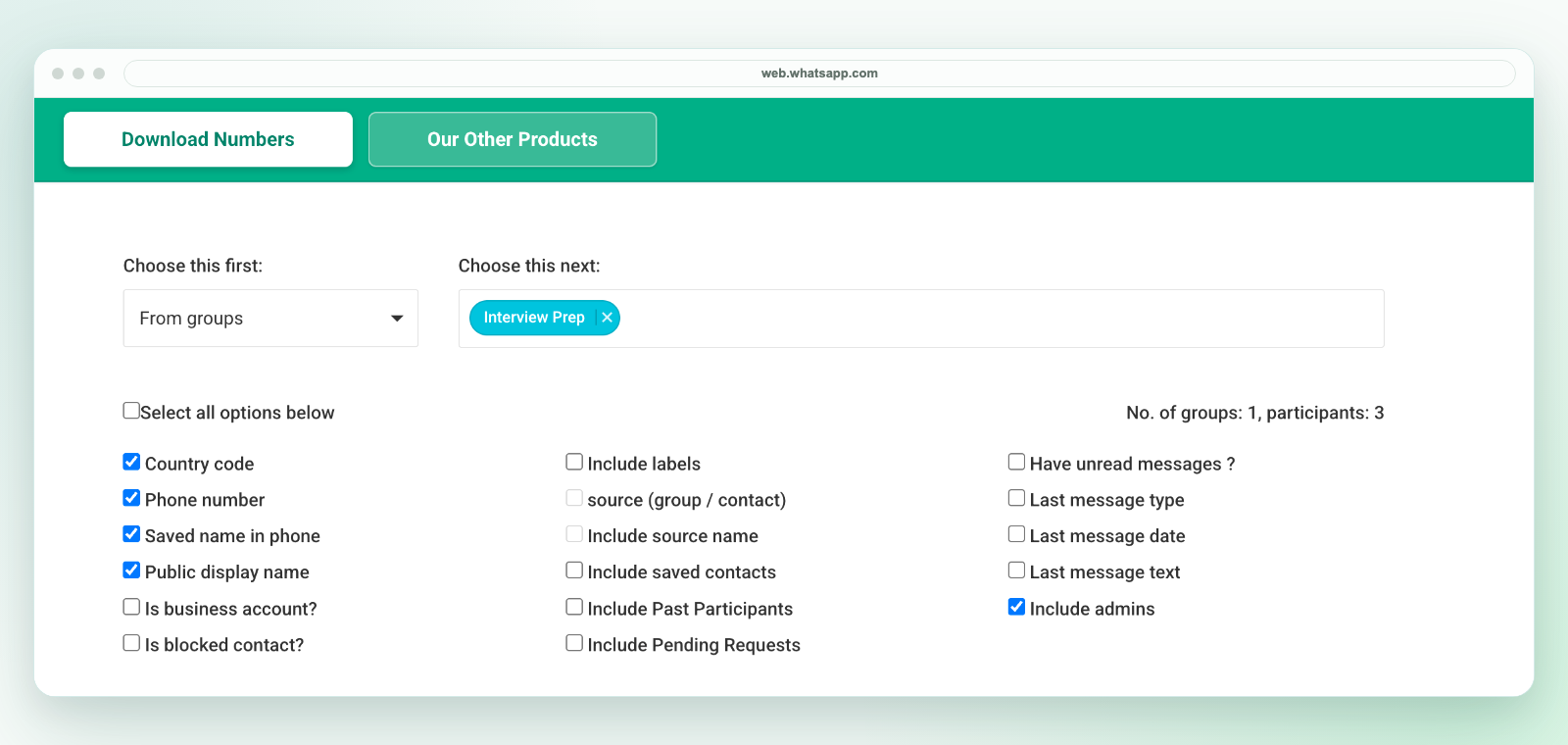
The extension saves an Excel workbook, not a direct CSV file. If another system requires CSV, review the selected worksheet in Excel and use Save As to create a CSV UTF-8 copy. Preserve phone numbers as text, map destination fields and test a small batch before import. Follow the CSV conversion workflow.
Export only details available to your session and authorized for your purpose. A visible number is not consent to marketing. See current plans and activation instructions or contact support before purchasing for a specific workflow.
For CRM preparation, see WhatsApp leads to CRM. For phone-number extraction, see WhatsApp group phone number extractor. For the broader export workflow, see export WhatsApp group contacts.