
Shop customers
Export customer group contacts for product updates, order follow-up, and internal customer-list cleanup.
Retail and classifieds
Shops, resellers, local services, and classifieds communities often use WhatsApp groups to coordinate buyers, sellers, customers, and announcements. Export those visible contacts into a spreadsheet for responsible follow-up.
Export customer group contacts for product updates, order follow-up, and internal customer-list cleanup.
Organize buyer, seller, tenant, local service, or community group contacts into Excel.
Use exported lists only for expected, relevant, and lawful communication.
Local commerce teams often run WhatsApp groups for product drops, neighborhood buyers, resale communities, customer support, classified listings, and shop announcements. When those groups need organized follow-up, a spreadsheet gives the team a cleaner view than scrolling through a group member list.
Use the extension as an organization tool, not as a shortcut for unwanted outreach. After export, review the contact list, remove irrelevant rows, and use the file only for expected communication tied to the group context, store relationship, inquiry, or community purpose.
Check order history and customer preferences in your own records before treating a group member as a buyer. Keep sellers, vendors and support contacts separate where appropriate. The exporter does not retrieve orders, infer purchase history or send campaign messages.
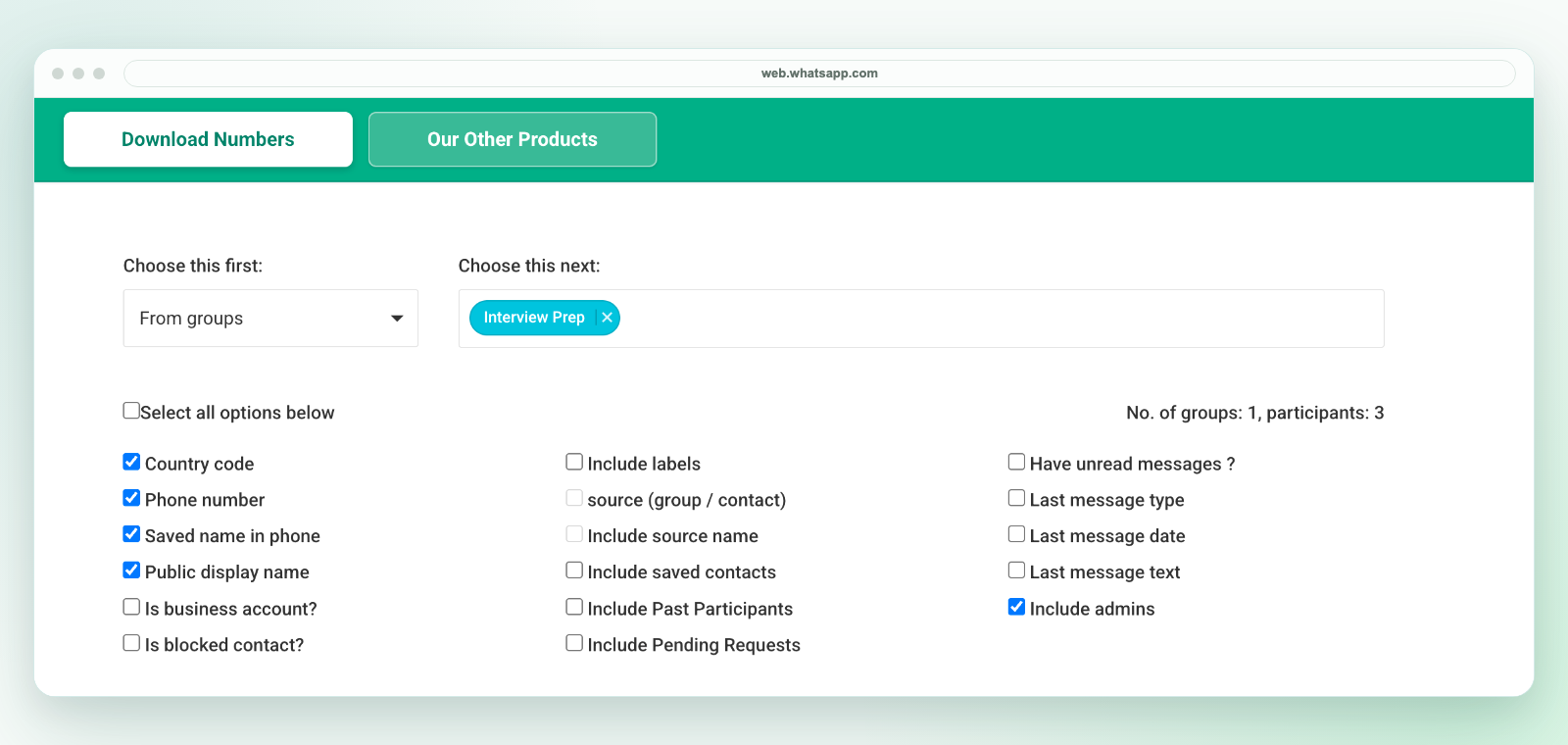
In desktop WhatsApp Web, launch WA - Download Group Phone Numbers from the Chrome toolbar. Choose From groups, select an authorized group and the available fields, then download an Excel (.xlsx) workbook. Check a small sample against the group and keep the original file.
The extension saves an Excel workbook, not a direct CSV file. If another system requires CSV, review the selected worksheet in Excel and use Save As to create a CSV UTF-8 copy. Preserve phone numbers as text, map destination fields and test a small batch before import. Follow the CSV conversion workflow.
Export only details available to your session and authorized for your purpose. A visible number is not consent to marketing. See current plans and activation instructions or contact support before purchasing for a specific workflow.
For direct number export, see download WhatsApp phone numbers. For CSV cleanup, see export WhatsApp group members to CSV. For shop-specific examples, see shop WhatsApp customer list export.