
Spreadsheet backup
Keep a spreadsheet copy of visible WhatsApp group contacts.
When a WhatsApp Web group becomes an operating list, WA - Download Group Phone Numbers helps export visible contact details into a spreadsheet your team can review, dedupe, and store with the right context.
What this backup workflow means
This is a spreadsheet backup workflow for visible WhatsApp Web group contacts. It is useful when a sales, education, real estate, community, recruiting, retail, or operations team needs a reviewed Excel workbook outside the chat screen for review and handoff.
It is not a WhatsApp chat backup, device-address-book backup, cloud sync, or vCard export tool. The goal is to create a reviewed spreadsheet copy of contact rows your WhatsApp Web session can already see, then handle that file responsibly inside your own team process.
When teams create a spreadsheet copy
- Before cleaning a large group contact list for CRM preparation.
- Before handing a student, parent, buyer, attendee, candidate, or customer list to another team member.
- Before deduping contacts across multiple WhatsApp groups.
- Before archiving source group context for internal reporting.
- Before changing ownership of a group workflow or campaign list.
Recommended backup fields
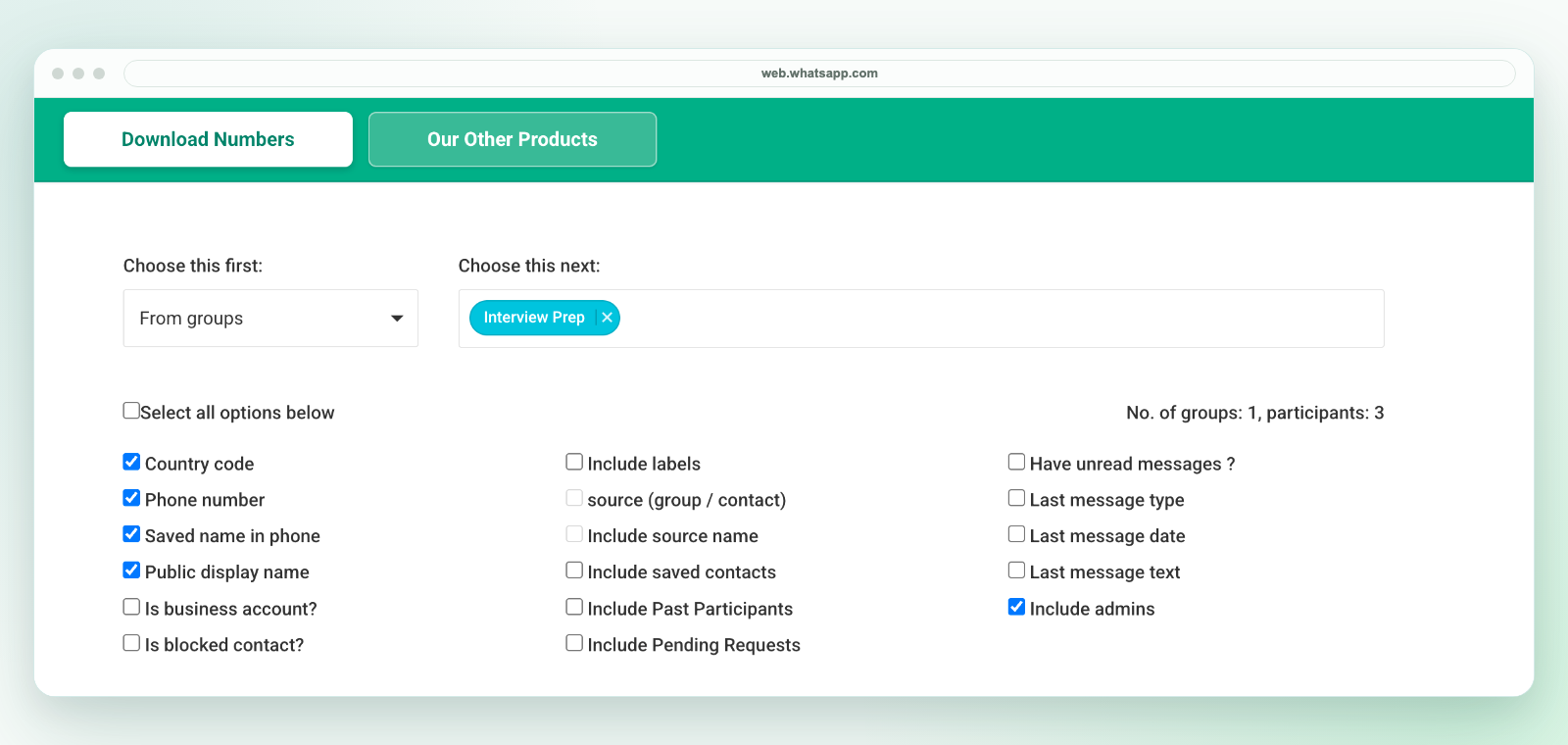
Most teams should keep country code, phone number, saved name, public display name, and source group. Depending on the workflow, add labels, saved-contact context, admin status, business-account status, unread status, or last-message context only when those fields are needed for review.
How to keep the file useful
- In desktop WhatsApp Web, launch the extension from the Chrome toolbar. Select only the group or source needed for the current workflow and download an Excel (.xlsx) workbook.
- Keep source context so the team can understand where each row came from.
- Remove duplicates and irrelevant rows before storing or importing the file.
- Add internal columns such as owner, campaign, region, status, or next action.
- Store the spreadsheet according to your team's access, consent, and retention rules.
Keep the original; make a CSV copy only when needed
The extension downloads an Excel workbook, not a direct CSV file. Keep the original in an access-controlled location. If another system requires CSV, review the worksheet in Excel and use Save As to create a CSV UTF-8 copy. CSV keeps one sheet and does not preserve workbook formatting. Test a small batch before import.
This file is a snapshot, not a live backup or an automatic restore point. It does not restore contacts to WhatsApp, reconstruct membership history or recover hidden data. Apply your retention rules to the workbook and any copies you share.
Related workflows
For a full export guide, see how to export WhatsApp group contacts to Excel. For field selection, see WhatsApp contact export fields. For CRM cleanup, see WhatsApp leads to CRM.