
Comparison
WA Contact Extractor alternative for Excel and CSV export.
Match the exact extension and publisher before comparing formats or paying. Similar names can refer to different Store items; our workflow downloads an Excel workbook, with CSV conversion afterward if needed.
Similar names do not identify the same product
Checked October 15, 2026: the items below have different Store IDs. Compare the full URL and publisher, not just the words contact extractor. These are public listing identities and advertised scopes, not a hands-on reliability, security or pricing benchmark.
| Public listing | Identity and scope | Next step |
|---|---|---|
| WAContact exporter | Item jminpmjfkocfcnaginmfdkcpbgfehpah, offered by wadeskzf. Its title includes WA Contact Extractor. | Read our source-checked WAContact comparison. |
| WA Contacts Extractor | Different item nejnihopaofjmddmhcopnlojhclfpjop, linked to wacontactsextractor.net. | Read the plural-name extractor comparison. |
| WaContact CRM | Different item kmmibpooeblhmpbphojdncfdlfflecab, offered by Intzp; its listing describes a CRM. | Do not assume the exporter's documentation applies to this item. |
Choose by the job you actually need
Check whether your requirement is a group contact workbook, direct CSV, an address-book file, chat archiving or a CRM. A product name alone does not prove any of these capabilities. Verify formats, source limits, privacy terms and purchase conditions in the exact product's documentation.
Our workbook-first alternative
- Open WhatsApp Web in desktop Chrome and launch WA - Download Group Phone Numbers from the Chrome toolbar.
- Select an authorized group and available phone-number, name and source fields.
- Download an Excel (.xlsx) workbook. Check a sample of rows, review duplicate phone numbers and keep the original.
- If your next tool needs CSV, use Save As in Excel to create a CSV UTF-8 copy of the reviewed worksheet. Preserve phone numbers as text and test a small batch before import.
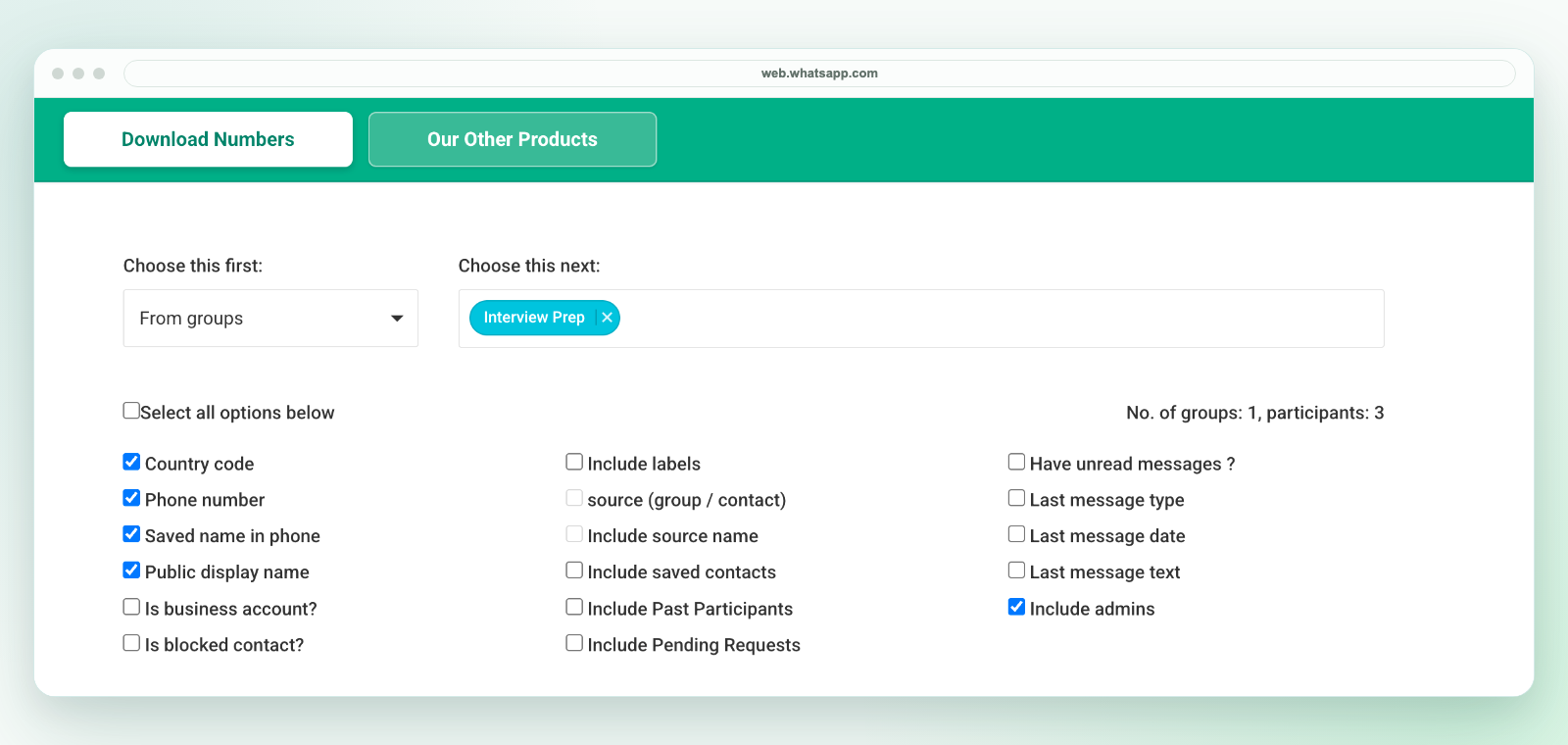
Our extension downloads a workbook, not a direct CSV file. It does not provide address-book sync, complete chat-history export, automatic CRM sync or hidden-number access. Available fields depend on your current WhatsApp Web session. See the field guide and current plans and activation instructions.
Review before importing or following up
Use only contacts you are authorized to handle. A visible number or a group name does not qualify a lead or establish marketing consent. For the next step, use Excel cleanup, shared review in Sheets or the CRM preparation template.
Inspect our group workflow, product scope, privacy and support before purchasing. Our independent extension is not affiliated with WhatsApp or Meta.