
Comparison
WA Contacts Extractor alternative for spreadsheet-ready export.
Compare the exact contact exporters before installing. This page distinguishes a specific competing Store listing from our workbook-first desktop Chrome workflow.
Compare the exact products, not similar names
This page refers to WA Contacts Extractor - Export WhatsApp Contacts, Store ID nejnihopaofjmddmhcopnlojhclfpjop. Our product is WA - Download Group Phone Numbers, Store ID henhldbgljkagjabmpjnlphncpnfggcd. These are different extensions and publishers.
File formats: listed capability versus our actual workflow
Checked October 15, 2026: the competing Store listing advertises CSV, Excel, JSON and vCard downloads from groups, chats, labels and countries. Those are publisher claims, not an independently tested result. This comparison does not benchmark its reliability, privacy or payment flow.
| Decision | WA Contacts Extractor listing | WA - Download Group Phone Numbers |
|---|---|---|
| Download format | Advertises CSV, Excel, JSON and vCard. | Downloads an Excel workbook. CSV is a separate conversion step; this workflow does not provide JSON or vCard. |
| Source selection | Advertises groups, chats, labels and countries. | Group, label, contact and chat sources depend on session data. Country selection uses phone prefixes; broadcasts have additional availability limits. |
| Purchase decision | Check its current checkout and access terms directly. | Review our current plans, renewal terms and manual-pass activation before purchasing. |
How our workbook handoff works
- Open WhatsApp Web in desktop Chrome and launch our extension from the Chrome toolbar.
- Select an authorized group and available contact fields, then download an Excel (.xlsx) workbook.
- Check a sample of phone numbers and names, review duplicate rows and retain source context.
- If your destination requires CSV, review the selected worksheet in Excel and use Save As to create a CSV UTF-8 copy. Preserve phone numbers as text and test a small batch before import.
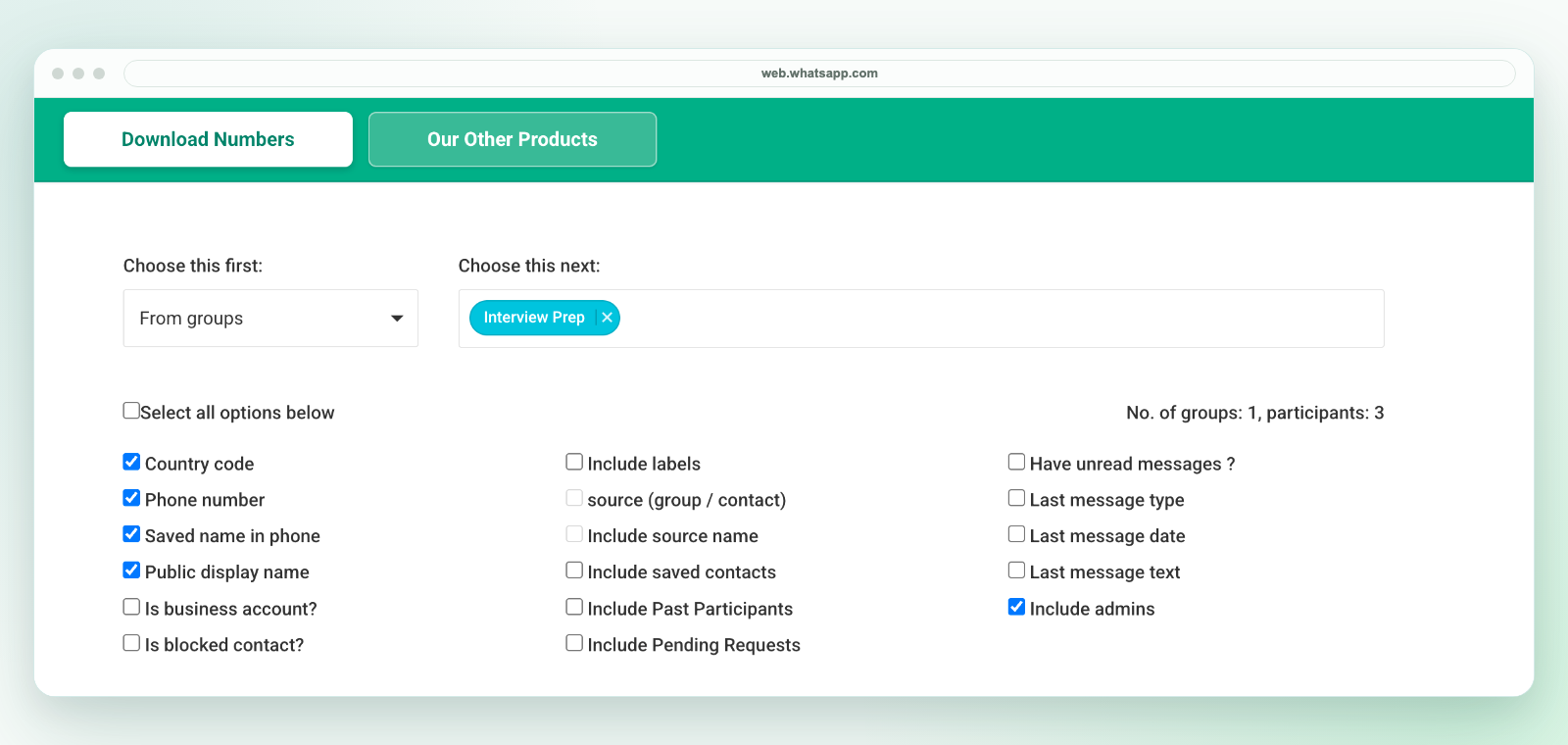
Our extension downloads a workbook, not a direct CSV file. If direct JSON or contact-card output is essential, the competing listing advertises those formats; verify that they meet your needs before paying. If you want our workbook-first workflow, inspect the available fields, broadcast limits and current purchase options.
Evaluate access and data handling separately
A listing or format list does not establish security or permission to contact people. Check the exact publisher, permissions, privacy terms and support route for whichever tool you choose. Export only details your session can access and that you are authorized to handle. Our product is independent and is not affiliated with WhatsApp or Meta.
Related workflows
See group export, workbook-to-CSV conversion, CRM preparation and the broader buying checklist.