
Comparison
WAContact alternative for WhatsApp Web contact export.
Need a spreadsheet from your WhatsApp Web groups, or a VCard file and chat archive? Compare the documented WAContact exporter with our Excel workbook and optional CSV-conversion workflow before choosing.
Which WAContact are you comparing?
This page compares the WAContact exporter offered by wadeskzf. The similarly named WaContact CRM is a different Store item. Check the item ID before installing.
Competitor details below come from its developer's public documentation reviewed October 15, 2026, not a hands-on test or an endorsement.
Compare the output you need
Excel and CSV contact lists
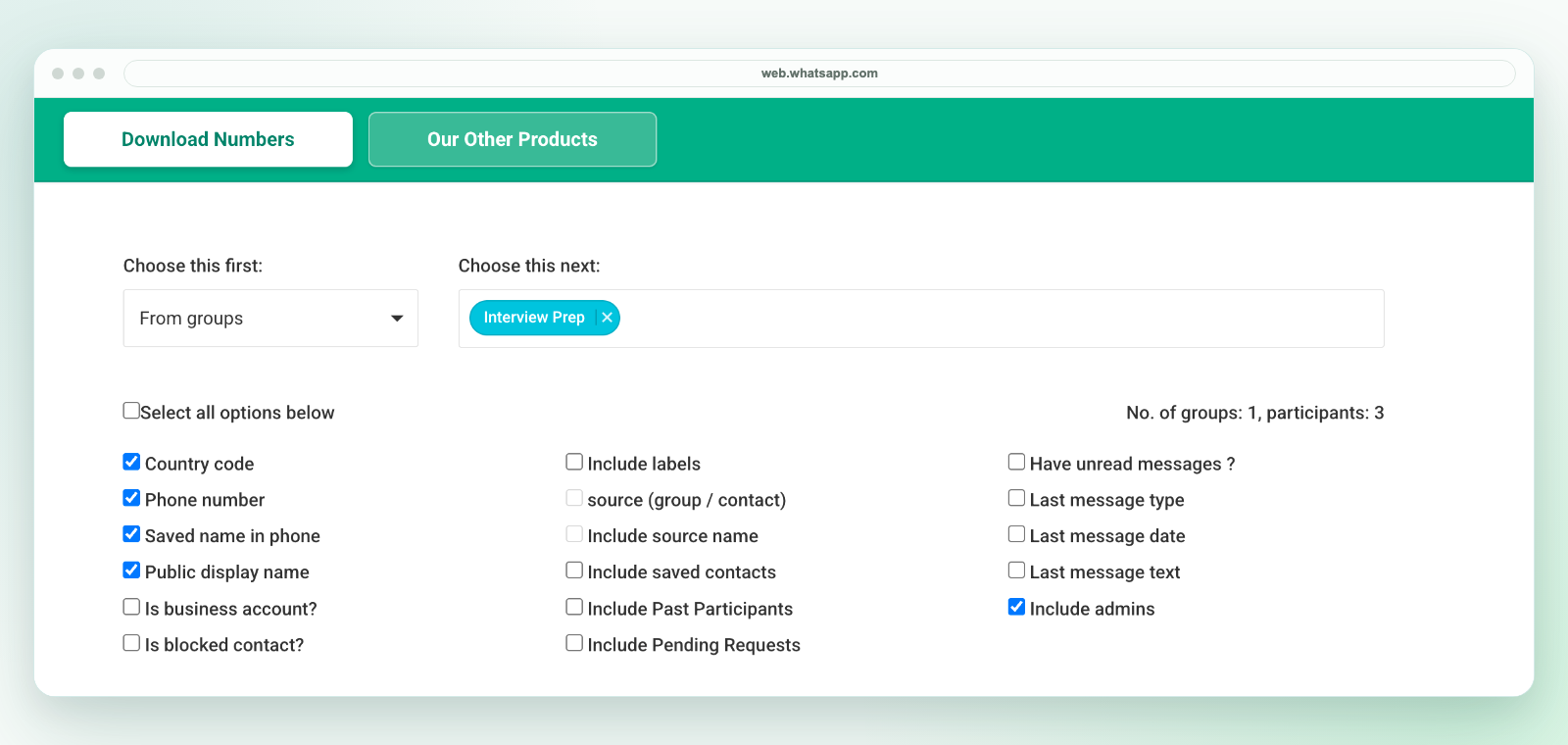
WAContact documents Excel, CSV and VCard output and group-member selection in its official listing. Our product downloads an Excel workbook of available WhatsApp Web contacts; CSV is a separate conversion step. Choose the source and fields, then review the file before sharing or importing it.
Address-book import or chat archives
Consider WAContact if VCard or chat-history export is essential: its listing describes both. Media export depends on its Max plan and accessible original media. Our product is not a VCard exporter or chat-backup tool; optional last-message fields are not a complete conversation archive.
Source and field selection
The WAContact guide describes All Contacts and Chat List sources, with account-type, calling-code and label filters. Our extension offers groups, labels, broadcasts, contacts and open chats where available. Review our export-field guide for actual headings, optional fields and row-inclusion behavior.
When our spreadsheet workflow fits
Choose WA - Download Group Phone Numbers when the job is a reviewed group contact sheet rather than messaging automation. A sales coordinator can retain source-group context for assigning follow-up; an event organizer can clean a member list before an authorized handoff. Export only the fields needed for that task.
Start with a small, known group. Check phone numbers as text, confirm which administrator rows are included, and inspect blank cells before exporting a larger list. Our CSV template and import guide helps map columns and preserve international numbers; it does not automatically import contacts or send messages.
Our workbook download and CSV handoff
In desktop WhatsApp Web, launch our extension from the Chrome toolbar, choose an authorized group and available fields, then download an Excel (.xlsx) workbook. Check a sample of contacts and keep the original. This is not a direct CSV file: use Save As in Excel to create a CSV UTF-8 copy of the reviewed sheet if needed. Preserve phone numbers as text and test a small batch before import.
Price and activation before you buy
Our monthly subscription is $7.99 and renews until canceled. A six-month pass costs $25.99 by Stripe or INR 2,500 by UPI; a 30-day pass costs $9.99 by Stripe or INR 649 by UPI. Passes do not renew. After paying for a pass, send the payment confirmation and the WhatsApp number needing access to support for verification and a license key.
Compare the current plan, duration and activation requirements in each product's checkout. We do not claim a competitor price or that either product is cheaper for every workflow. See our pricing, support and privacy policy before purchasing.
Review privacy, not just file formats
WAContact's privacy policy distinguishes local export processing from account and service data flows. A locally generated file does not, by itself, mean an extension transmits no data. Read the relevant policy and check your organization's requirements for either tool.
Responsible use
Export only contacts your account is allowed to access and your team is authorized to process. Review the file before importing or sharing it, keep only the fields needed for the task, and follow applicable consent, privacy, platform, and internal-policy requirements. WA - Download Group Phone Numbers is independent and is not affiliated with WhatsApp or Meta.