
Comparison
Group Contact Extractor for WA alternative for Excel export.
Compare tools by their exact Store identity, group-source support, available fields and real download format. Our workflow starts with an Excel workbook, with CSV conversion afterward if needed.
Identify the exact extension first
Group contact extractor names can be similar. Match the full Chrome Web Store URL, extension ID and publisher before comparing products or paying. No specific competing Store item has been verified for the name on this page, so this is a buying checklist, not a tested side-by-side feature or price ranking.
What your group-export workflow needs
- Group members rather than only saved contacts: check the actual source selector and field availability.
- A usable file: distinguish native download formats from a later spreadsheet conversion.
- Row-selection details: check whether admin or saved-contact options change rows, columns or both.
- A clear purchase: confirm access duration, renewal and restoration steps before payment.
Our verified workbook-first workflow
WA - Download Group Phone Numbers is the extension linked by the install buttons here, Store ID henhldbgljkagjabmpjnlphncpnfggcd. It runs in desktop Chrome with WhatsApp Web, not as a mobile app.
- Launch the extension from the Chrome toolbar in your signed-in WhatsApp Web session.
- Select From groups and an authorized group. Choose available fields such as phone number, saved name, public display name and source context.
- Download an Excel (.xlsx) workbook. Check known contacts and duplicates before using the rows.
- If another system needs CSV, use Save As in Excel to create a CSV UTF-8 copy of the reviewed sheet. Preserve phone-number columns as text and test a small batch before import.
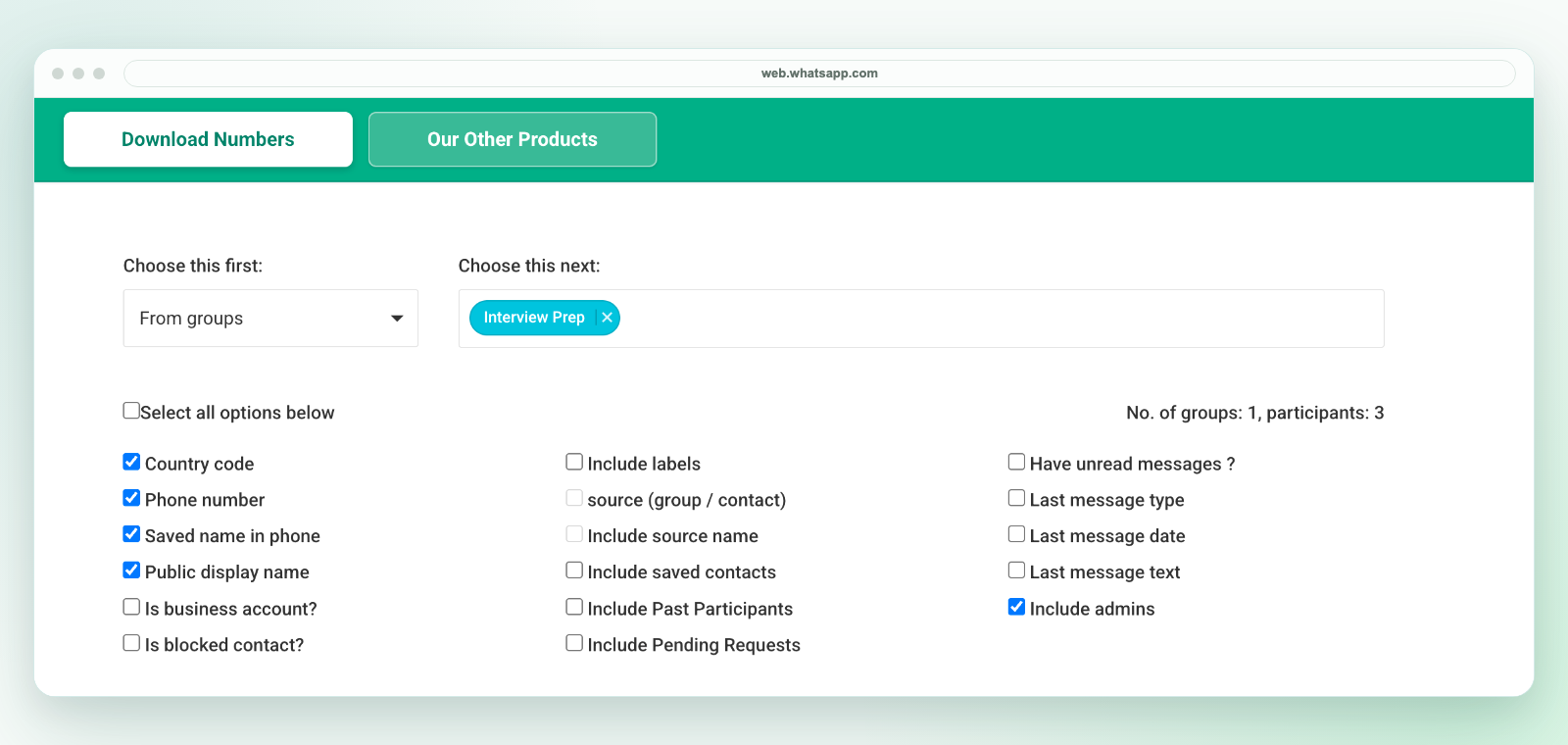
This is a workbook download, not a direct CSV file. Selected fields may be blank; source and row options depend on available session data. Review the field guide, saved-contact review and plans and activation instructions.
Know when this is not the right workflow
If you need automatic address-book saving, CRM sync, a mobile-only tool or hidden phone numbers, this workbook exporter does not provide that workflow. A spreadsheet can support review and handoff, but it does not qualify leads or create permission for outreach.
Related workflows
See group contact export, Excel cleanup, export alternatives and support. Review privacy and use only contacts you are authorized to handle. Our extension is independent and is not affiliated with WhatsApp or Meta.