
Comparison
WABULK alternative for WhatsApp contact export to Excel.
Compare the specific WABULK-linked contact exporter, not every tool with a similar name. Decide whether you need a direct file format or a reviewed Excel workbook.
Identify the WABULK-linked exporter
This page refers to WA Contacts Extractor - wabulk.net, Store ID kfjafldijijoaeppnobnailkfjkjkhec, linked from the WABULK export website. Do not substitute another similarly named product's feature list or pricing.
Listed formats versus our workbook
Public documentation reviewed October 15, 2026 advertises CSV, Excel, JSON and vCard exports and group, chat, label and country-based contact sources. These are publisher claims, not a hands-on export test or a guarantee of coverage.
| Decision | WABULK-linked exporter | Our workflow |
|---|---|---|
| File format | Advertises multiple direct download formats. | Native Excel workbook. CSV requires a separate conversion; this workflow does not output JSON or vCard. |
| Source availability | Verify the current source selector and available values in the exact product. | Exports available session data; a selected field may be blank and hidden numbers cannot be revealed. |
| Purchase | Check the exact export product's checkout rather than another WABULK tool's plan. | Review our plans, renewal terms and manual-pass activation instructions. |
Our review-first group handoff
- Open WhatsApp Web in desktop Chrome and launch WA - Download Group Phone Numbers from the Chrome toolbar.
- Select an authorized group and available fields, then download an Excel (.xlsx) workbook.
- Check a sample of rows, complete phone numbers and duplicate records before assigning follow-up.
- If you need CSV, review the selected worksheet in Excel and use Save As to create a CSV UTF-8 copy. Preserve phone numbers as text and test a small batch before import.
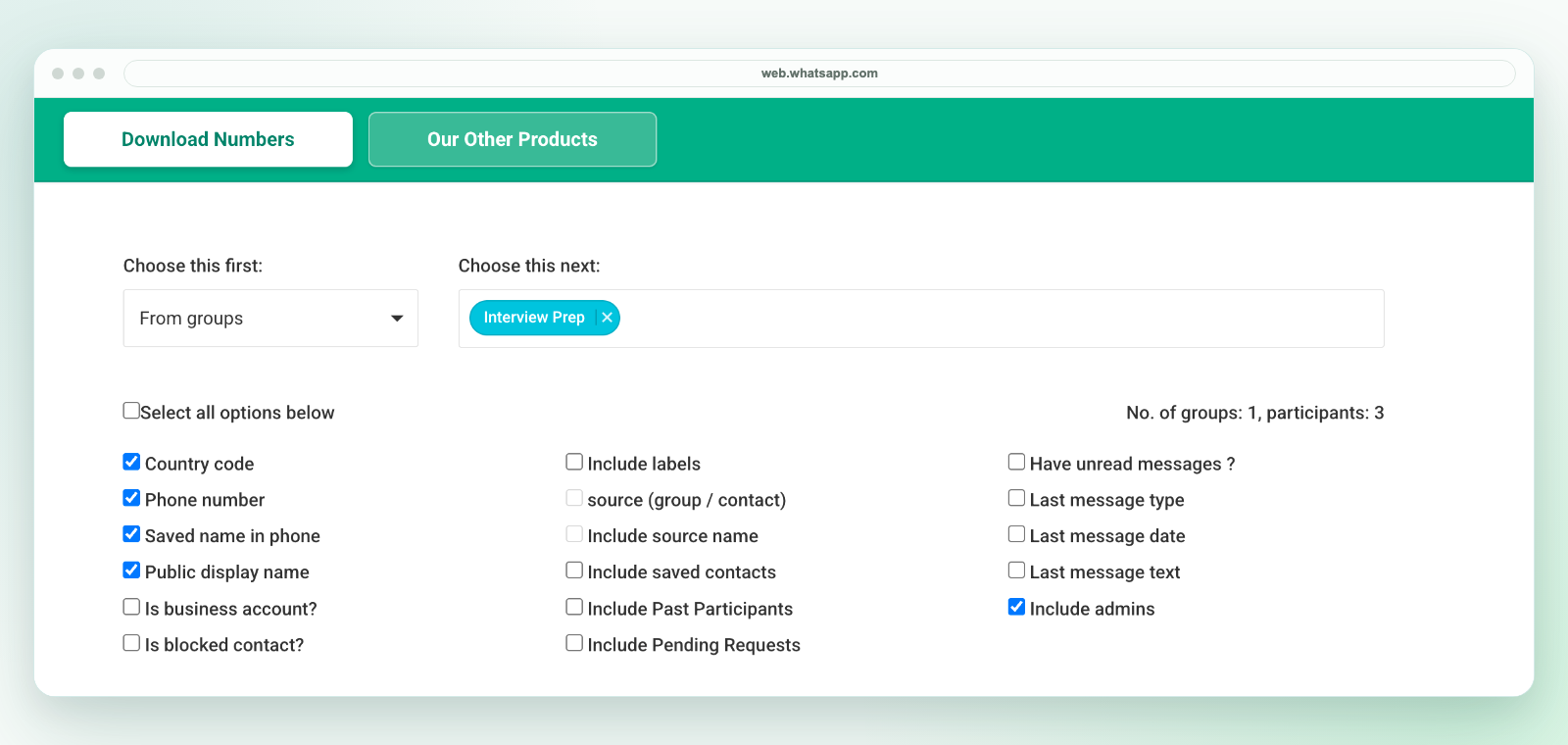
Our extension downloads a workbook, not a direct CSV file. It is a file-preparation tool, not a number checker, bulk sender, address-book sync or automatic CRM integration. A file export does not establish permission for outreach or guarantee that every group member has an available phone number.
Evaluate the purchase separately
This page does not certify either product's privacy, reliability or pricing. Check current permissions, data handling and support for the exact product. See our plans, privacy and support. Use only contacts you are authorized to process.
Related workflows
Use group export, phone-number downloads, Excel review or CRM preparation. See the Chrome workflow and alternatives guide. Our extension is independent and is not affiliated with WhatsApp or Meta.