
Comparison
WAppMaster alternative for WhatsApp contact export to Excel.
Match the exact WAPPMASTER Contacts Extractor Chrome extension before comparing file formats. Its Store listing is different from the broader Windows marketing product.
Chrome extractor or Windows marketing software?
This comparison identifies WAPPMASTER Contacts Extractor, Store ID moeihekkmkijlgmmablmbkjeojmkaagh. The publisher's site also has a Windows marketing-software download. Do not assume the desktop software's plans or messaging features apply to the Chrome extractor.
Compare advertised output with our actual download
Documentation reviewed October 15, 2026: the Chrome listing advertises contact, group, label and chat-contact extraction with CSV, Excel, JSON and vCard formats. This is a public listing claim, not an independent runtime or security test.
| Requirement | WAPPMASTER Chrome listing | Our exporter |
|---|---|---|
| Native formats | Advertises several output formats. | Downloads an Excel workbook. CSV is a later conversion, not native JSON or vCard output. |
| Messaging | Do not infer the Windows software's capabilities from the extractor name. | Does not send messages, run campaigns or automate a CRM. |
| Purchase and limits | Confirm current terms in the exact product; this page does not compare prices or quotas. | Check our access duration, renewal and activation instructions before purchase. |
Our workbook export and review
- Open WhatsApp Web in desktop Chrome and launch WA - Download Group Phone Numbers from the Chrome toolbar.
- Choose an authorized group and available fields, then download an Excel (.xlsx) workbook.
- Review known contacts and duplicate numbers, retain available source details and keep the original workbook.
- If your next system requires CSV, use Save As in Excel to create a CSV UTF-8 copy of the reviewed worksheet. Preserve phone-number columns as text and test a small batch before importing.
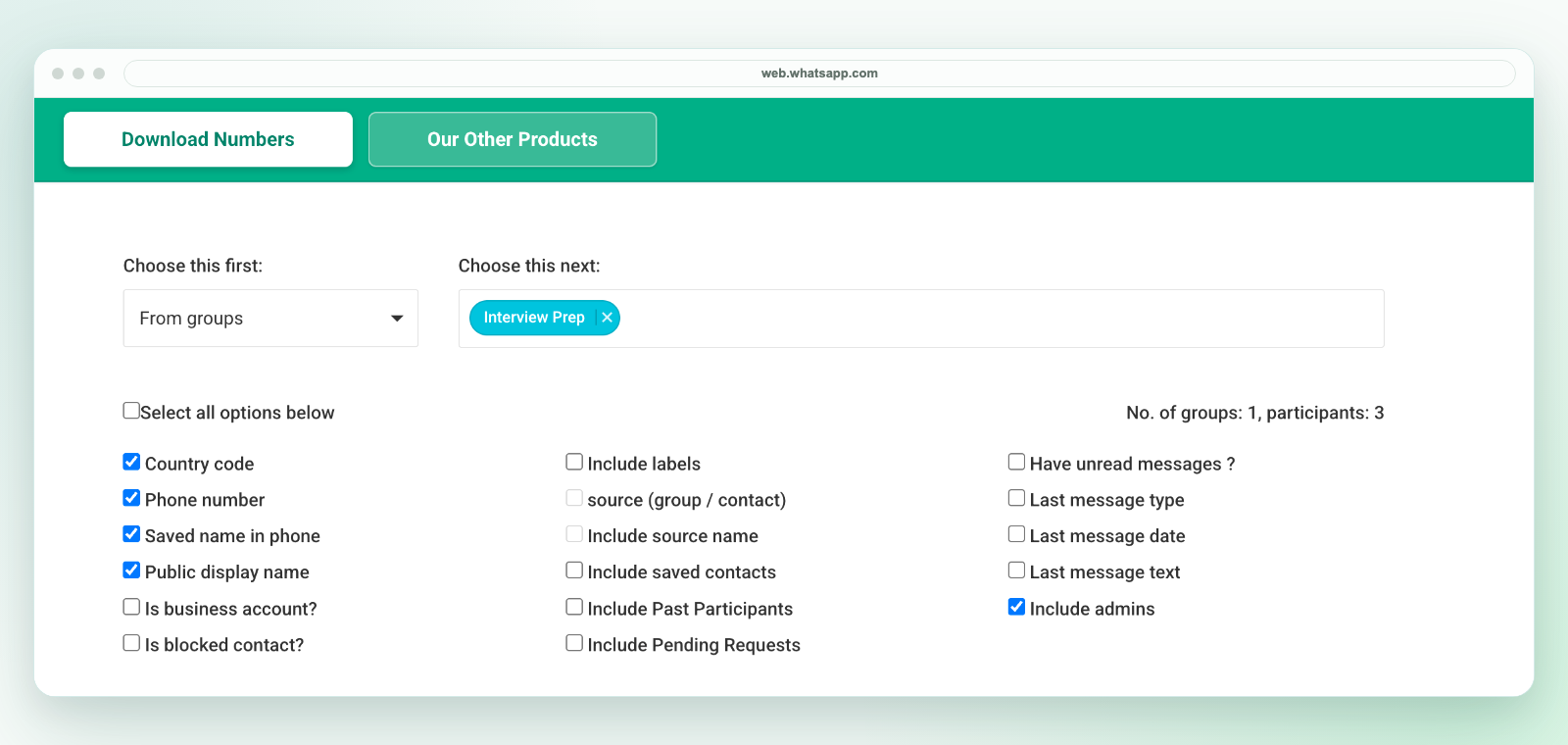
Our download is a workbook, not a direct CSV file. Use it for a manual spreadsheet handoff; it does not provide chat-history restoration, account-safety guarantees or access to hidden numbers. Compare your needed native format before choosing either product.
Review permissions and terms, not marketing guarantees
A listing does not certify security or guarantee account safety, delivery or sales. Check the current publisher, permissions, privacy terms, support and purchase conditions. Our plans and activation instructions, privacy and support are available before payment.
Related workflows
See group export, Excel cleanup, CSV conversion and CRM preparation. Also review our product scope, responsible use and other alternatives. Use only authorized contacts; membership is not marketing consent. Our extension is independent and is not affiliated with WhatsApp or Meta.